Help viewers picture the space
Create a living-room or bedroom concept. It is not a promise of furniture or renovations included with the property.
 Interia
Interia · Decorating guides
An empty room can be hard to picture as a home. Use a furnished concept to explain its possibilities without confusing an AI image with the property's current condition.
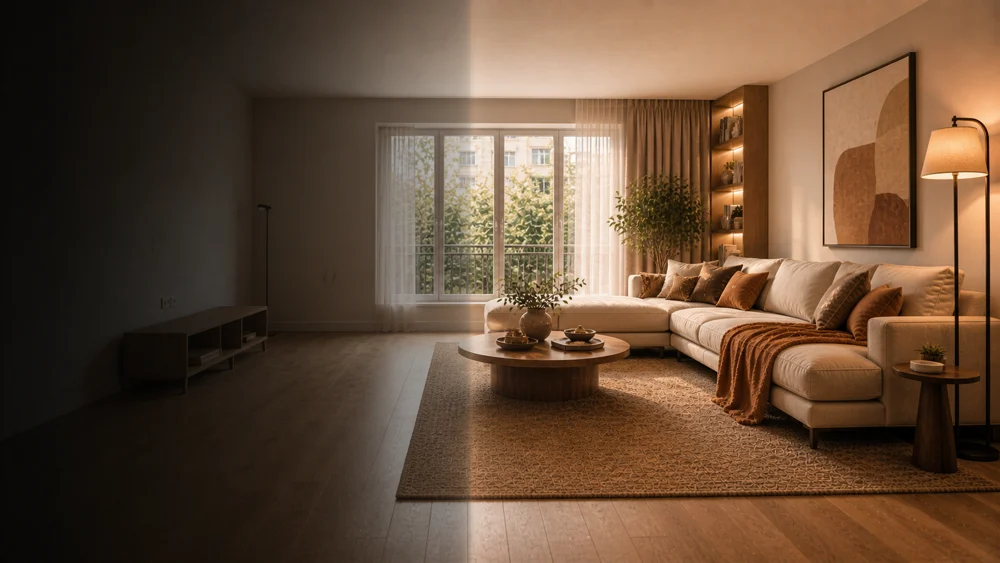
Create a living-room or bedroom concept. It is not a promise of furniture or renovations included with the property.
Show the real photograph alongside the concept. Never use staging to conceal defects or present work that has not happened.
Compare doors, windows and proportions. Reject inaccurate results and check the listing platform’s rules.
Choose an image you have permission to use; remove personal information.
Select the room type and a suitable decorating style in Interia.
Label it 'AI-generated virtual staging; not the current condition' and include the original photo.
No. Its room design tool can help create concepts; it does not offer listing management or measured architectural plans.
First check accuracy against the original. Clearly disclose the AI edit and follow your listing platform’s policies.
Interia
Start with your photo and review the idea before making changes.
Available for iPhone, iPad and Android