Explore a new look
Use photo-based design to see furniture, finishes and colors together in your own room. Interia creates visual decorating ideas from a photo.
 Interia
Interia · Decorating guides
A new look for your living room and a measured floor plan are different jobs. Choose an app that solves the one you actually need—not just the one with the prettiest preview.
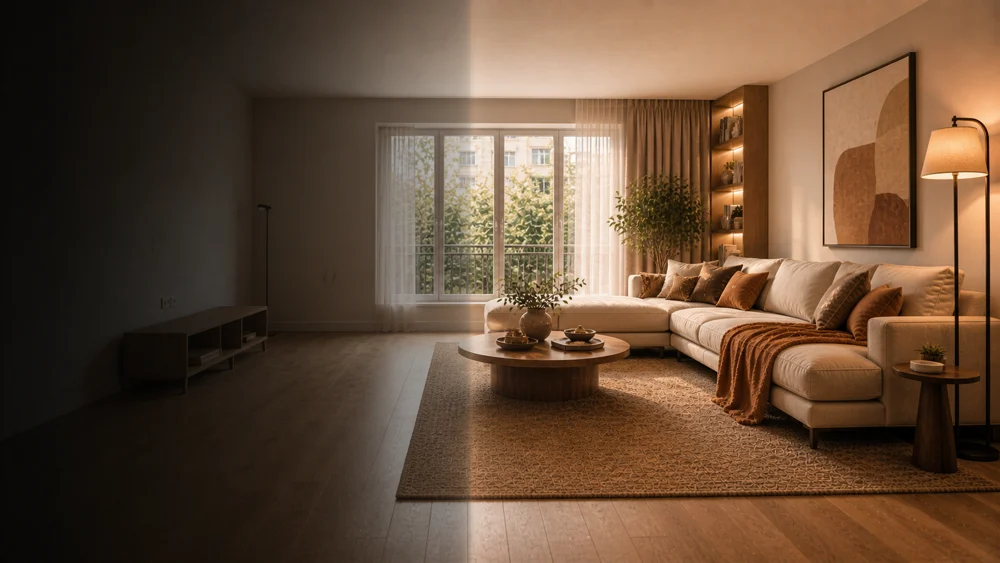
Use photo-based design to see furniture, finishes and colors together in your own room. Interia creates visual decorating ideas from a photo.
Choose a planner with dimensions and manual furniture placement. Interia does not produce measured plans, CAD drawings or an editable 3D model.
For a paint or flooring decision, use the dedicated tool rather than redesigning the whole room. Check samples and measurements before buying.
Include the floor, windows and doors in good light.
Select the room type and style; describe what you want to change.
Compare it with the original. Check sizes and materials separately before committing.
No. It makes design images from photos, not dimensioned drawings or walk-through 3D models.
The download is free. Generation limits and paid options may apply; check the current terms in the app.
Interia
Start with your photo and review the idea before making changes.
Available for iPhone, iPad and Android