See the whole color scheme
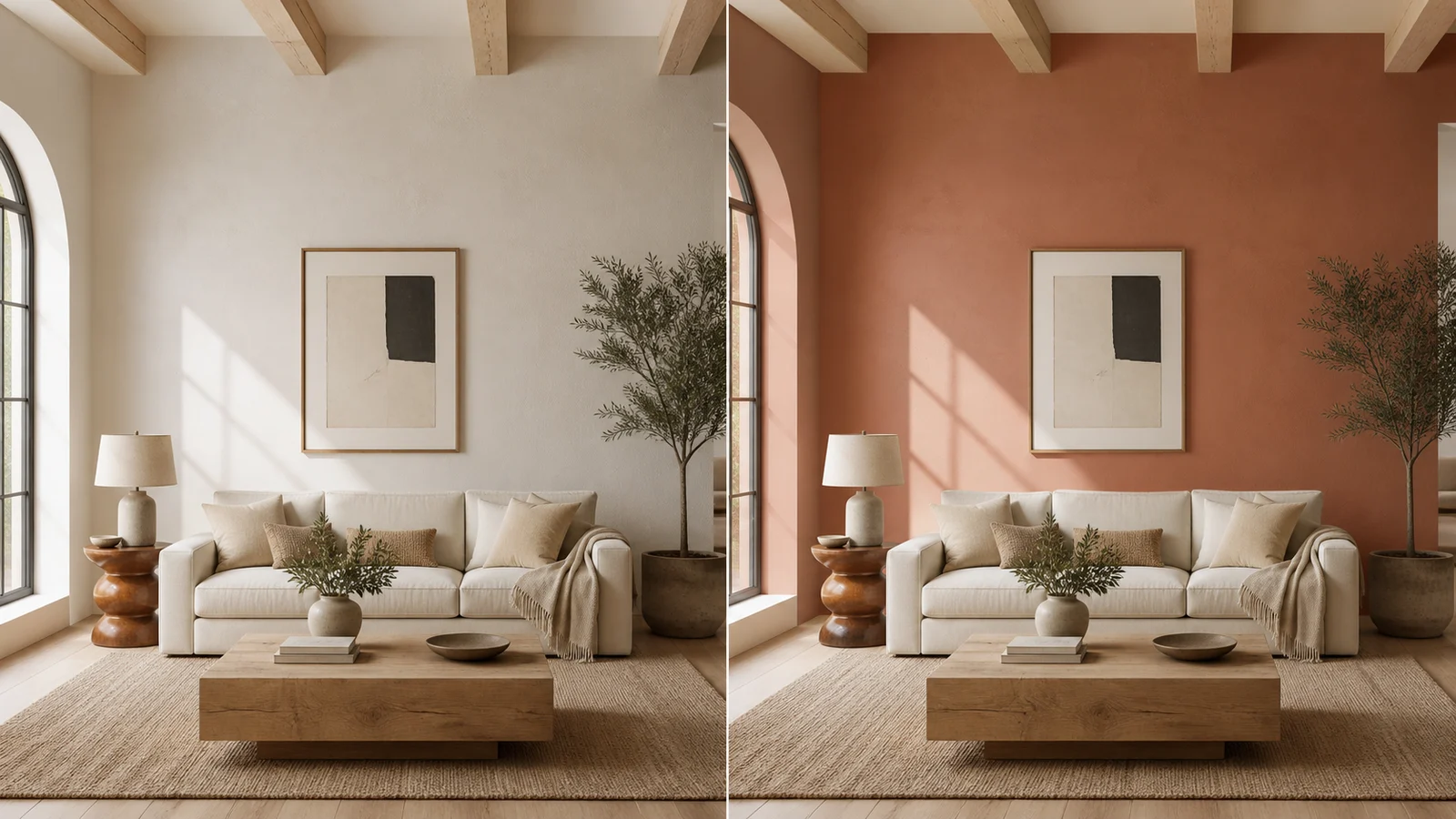
Explore how a wall color looks alongside the sofa, curtains and flooring already in your photo.
 Interia
What wall color goes with your sofa?
Which wall color works with your sofa and floor? Use Interia's paint color visualizer on your own room photo to compare shades before choosing real paint samples.
Ideas to explore
Compare the shade beside your sofa and floor. A color you like on its own may feel different across a whole wall.
Explore how a wall color looks alongside the sofa, curtains and flooring already in your photo.
Try different color options on the same source photo to explore the mood you want.
Save your favorite previews and use them to choose the physical samples you want to test.
Interia
Start with a photo that clearly shows the wall you want to repaint.
Include the wall and surrounding furniture so you can judge the color in context.
Open the wall color tool and select a shade from the app's color options.
Review the new look against the original and try another shade if you wish.
Interia
Yes. Add your room photo in Interia, open the wall color tool and choose one of the available colors to create a preview.
Describe which wall you want to change in the optional instruction. Check the result to see how closely the generated preview follows your request.
Photo lighting, screen settings and the real surface all affect color. Use the preview to compare ideas, then test a physical paint sample on your wall.
Interia
Download Interia and preview a fresh shade in your living room or bedroom.
Available for iPhone, iPad and Android