See the whole room
Explore furniture, lighting and finishes as one scheme instead of choosing isolated pieces.
 Interia
Interia · Decorating guides
Moved into a new place and staring at an empty living room? Start with a picture of the space. Explore a furnished concept before building your shopping list.
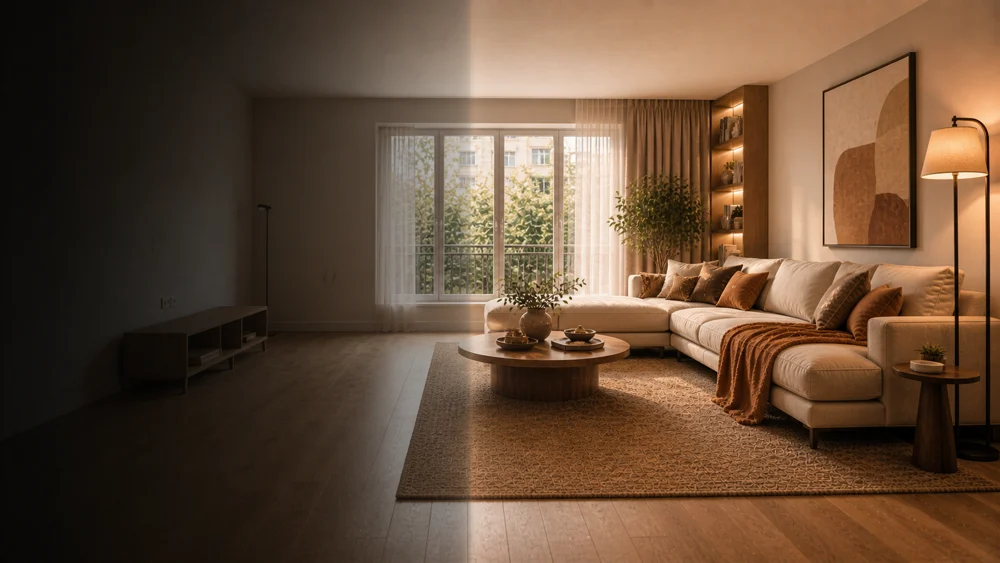
Explore furniture, lighting and finishes as one scheme instead of choosing isolated pieces.
Try different styles on the same room photo. These are visual concepts, not exact product selections.
Save a direction you like, then measure furniture footprints and walking space in the real room.
Show the walls, floor and openings clearly.
Choose a room type and style, then add your preferences.
Check the image against the original and verify dimensions before purchasing.
Interia can generate a furnished design concept from your photo. It is an AI visualization, not a dimensioned furniture layout.
The image does not guarantee a matching product or availability. Use it for direction, then check actual items and sizes.
Interia
Start with your photo and review the idea before making changes.
Available for iPhone, iPad and Android