Use an image you already love
Choose a decor reference that captures the atmosphere you want rather than trying to describe every detail.
 Interia
Try the room decor you saved in your own home
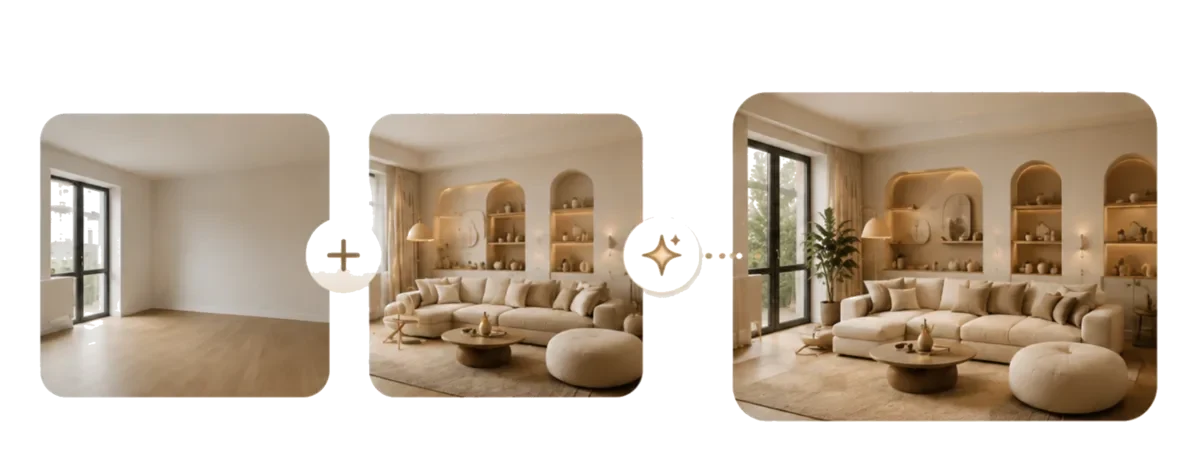
Love a room you saved but unsure if the look suits yours? Add your room photo and an inspiration image in Interia to try its colors, materials and atmosphere.
Ideas to explore
Choose what you like in the reference—its colors, textures or lighting—rather than expecting identical furniture.
Choose a decor reference that captures the atmosphere you want rather than trying to describe every detail.
Combine the reference with your room photo to explore a design for the space you actually have.
Review the adapted result next to both inputs to decide whether the look suits your home.
Interia
You need two images: your space and a style reference.
Choose a clear image of the room you want to redecorate.
Select a decor photo you can use and mention any details you especially like.
Review the new design and save the ideas that work for your room.
Interia
Add one photo of your own space and one design reference in the app's separate image slots. You can also include a short request.
The tool interprets the reference's mood, palette and materials. It does not guarantee the same furniture model, brand or every decorative detail.
Use a reference you have permission to use. Treat the generated image as design inspiration and check real dimensions and materials before buying anything.
Interia
Download Interia and pair your room photo with a look you love.
Available for iPhone, iPad and Android