Compare exterior finishes
Explore the effect of wood, stone or other finishes across the facade rather than judging a small sample.
 Interia
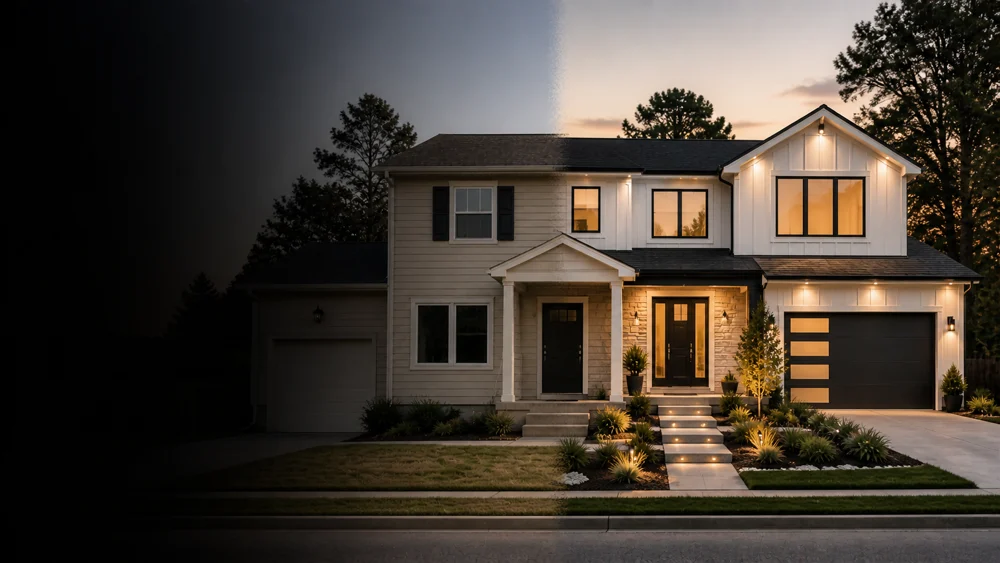
Compare house colors and siding on your own home
Not sure which exterior color or siding suits your house? Try finishes on your own photo in Interia and compare the whole facade before planning a renovation.
Ideas to explore
Look at the roof, window frames and entrance together when choosing siding or an exterior paint color.
Explore the effect of wood, stone or other finishes across the facade rather than judging a small sample.
Try ideas for the entry, porch and surrounding surfaces as part of a coordinated exterior.
Save the concept you like as a visual reference for conversations with your designer or contractor.
Interia
Use a photo that shows the facade and its main features.
Include the walls, entrance and windows you want to redesign.
Select an exterior style and describe any color or material preferences.
Compare the concept with your original photo and save the look you want to discuss.
Interia
Yes. Describe the finish you want to explore when creating an exterior design. The result illustrates a material idea rather than a specific product specification.
Use a clear photo of the side you want to update. The tool works from the visible area; it cannot show a complete view of surfaces hidden from the camera.
Use it to communicate the intended look. A professional still needs to check permits, structure, weatherproofing and suitable materials for your property.
Interia
Download Interia to explore exterior renovation ideas from your house photo.
Available for iPhone, iPad and Android